HealthCheck Assistance

The Health Check has detected that Playbook is installed but no avatar server is configured.
Playbook allows users to upload an avatar for their user account. A server in the estate needs to be configured as the host for all of the uploaded avatars and configured accordingly.
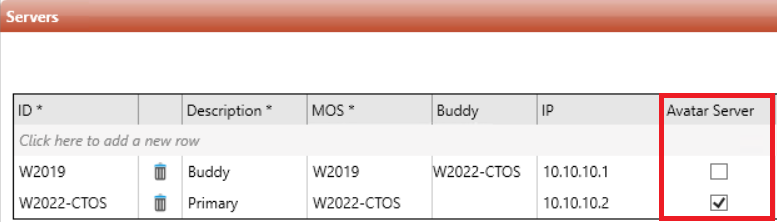
When a warning of this types is communicated, a server listed within the G_SERVERS tables should have the "Avatar" column selected. Traditionally, for Playbook deployments this is the primary server.
Log into the Central Server and open System Maintenance
Navigate to the Servers table
Scroll to the right of the table and in the "Avatar Server" column, tick the server that will be the host for the avatars.
There are thresholds set within \configurables\hc-custom_config.ps1. With the default being:
$global:suite_status_process_pb_avatars = $true # This enables the HC to check PB avatars (Default: $true)(healthcheck)