HealthCheck Assistance

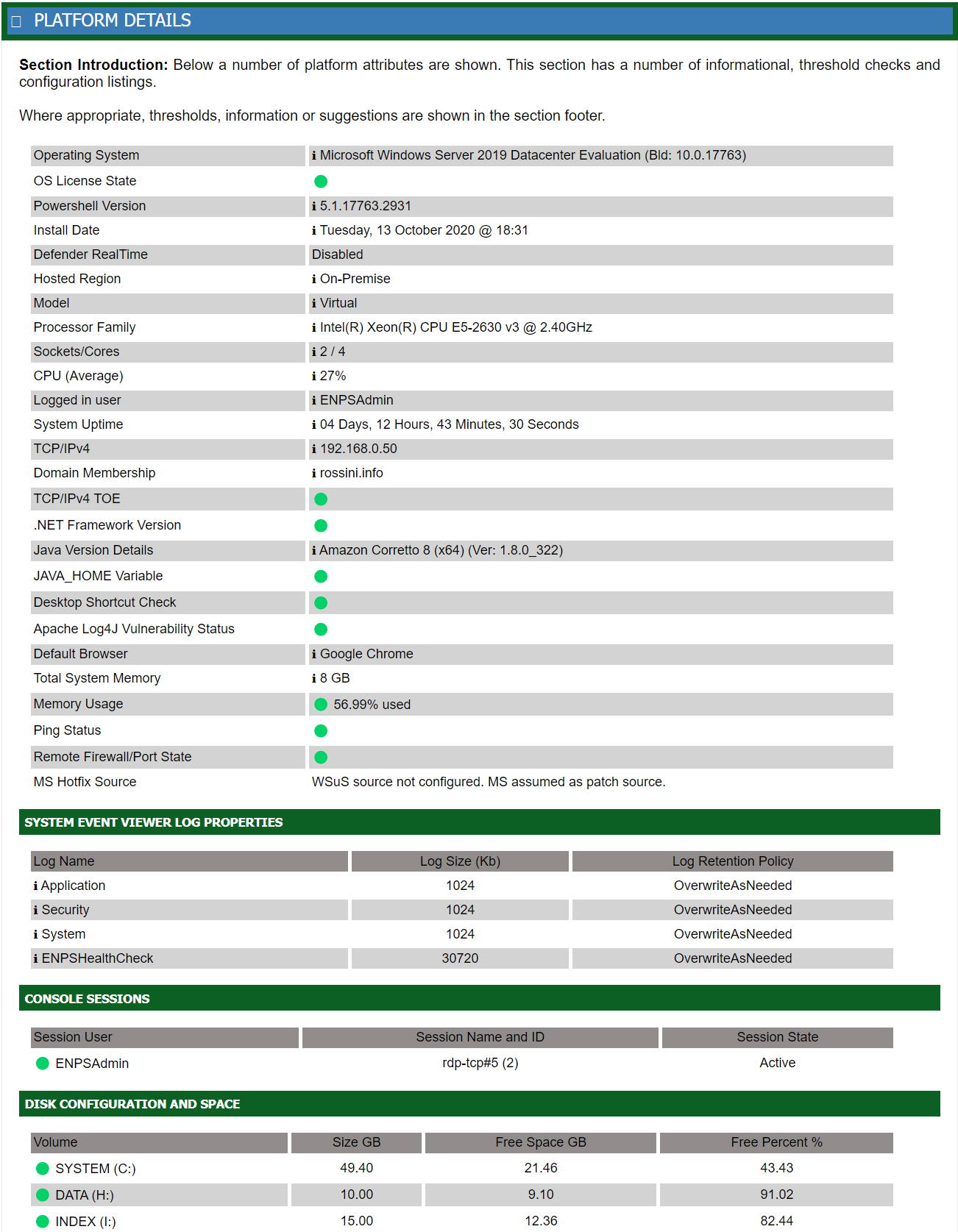
The Health Check reports on a number of attributes and this section includes information in relation to the host platform, Microsoft Windows Server. It also includes reports on the status of some components, for example; is there enought disk space to ensure data integrity!
There are basic elements listed; for example the version of Windows Server and it's license status, the version of PowerShell and the server hardware; the CPU, RAM, their quantities, and how much of those resources are being used when the Health Check is run.
This section provides an extensive list of information. A small snapshot of that information is below. This list also includes more important configurations of the platform, for example the firewall status and where the Microsoft patches are obtained from. If an SSL certificate is installed, this will be listed along with the expiration date of that certificate. There are a number of IIS configurations displayed; including the websites and application pools configured, how those applications are utilized and which applications use them. Finally, the policies applied to the applications are listed so that the security context can be observed.