HealthCheck Assistance

For the Health Check to monitor the application and platform when it executes, a number of prerequisite default and threshold values are set to compare the current status to. Some of these thresholds can be set according to the customer requirements, whereas others are required for the system to be run. There are two subsections: "/configurables/hc-custom_config.ps1" for customer specific configurations and "hc/hc-static_config.ps1" which are default values and should have no need to change. The former is customizable for each customer install.
The values are compared against the system values each time the health check is executed.
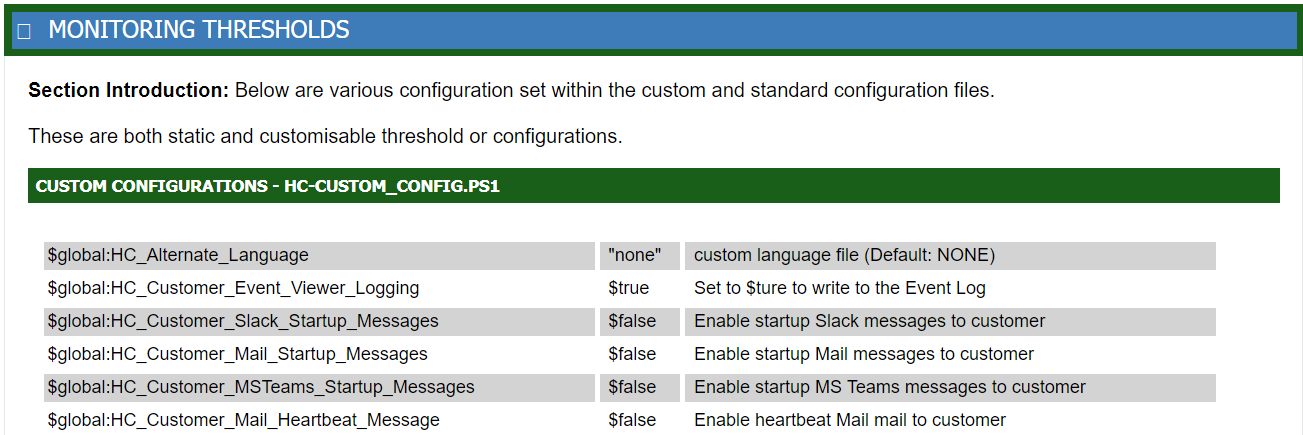
Once the above is enabled, then a new sectional header can be configured to appear on the
Heartbeat Summary mail, titled "Monitoring Thresholds". When
expanded, all the various configurable options will be displayed. This is primarily
for reference and has no functional value.
NOTE: If you have any questions, please contact AP ENPS Support before making changes to the HealthCheck configurations.
To enable this it is set within \hc\hc-static_config.ps1. With the default being:
$global:HC_AP_Mail_Heartbeat_Thresholds = $false # Enable Threshold values to be added to HeartBeat Mail messages