HealthCheck Assistance

A summary or heartbeat mail can be configured to be sent at a determined schedule, this can be daily, weekly or monthly. See the schedule page.
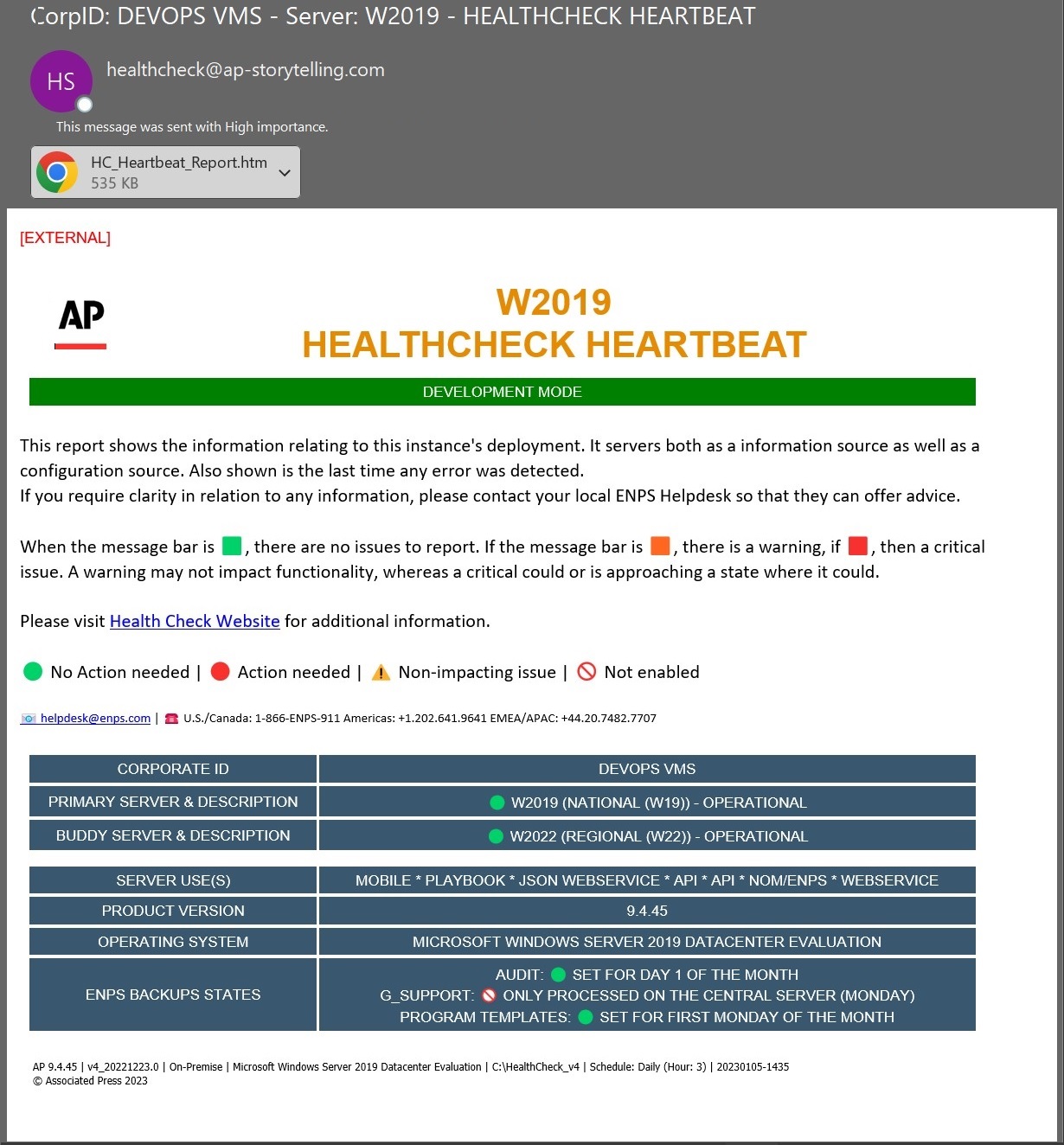
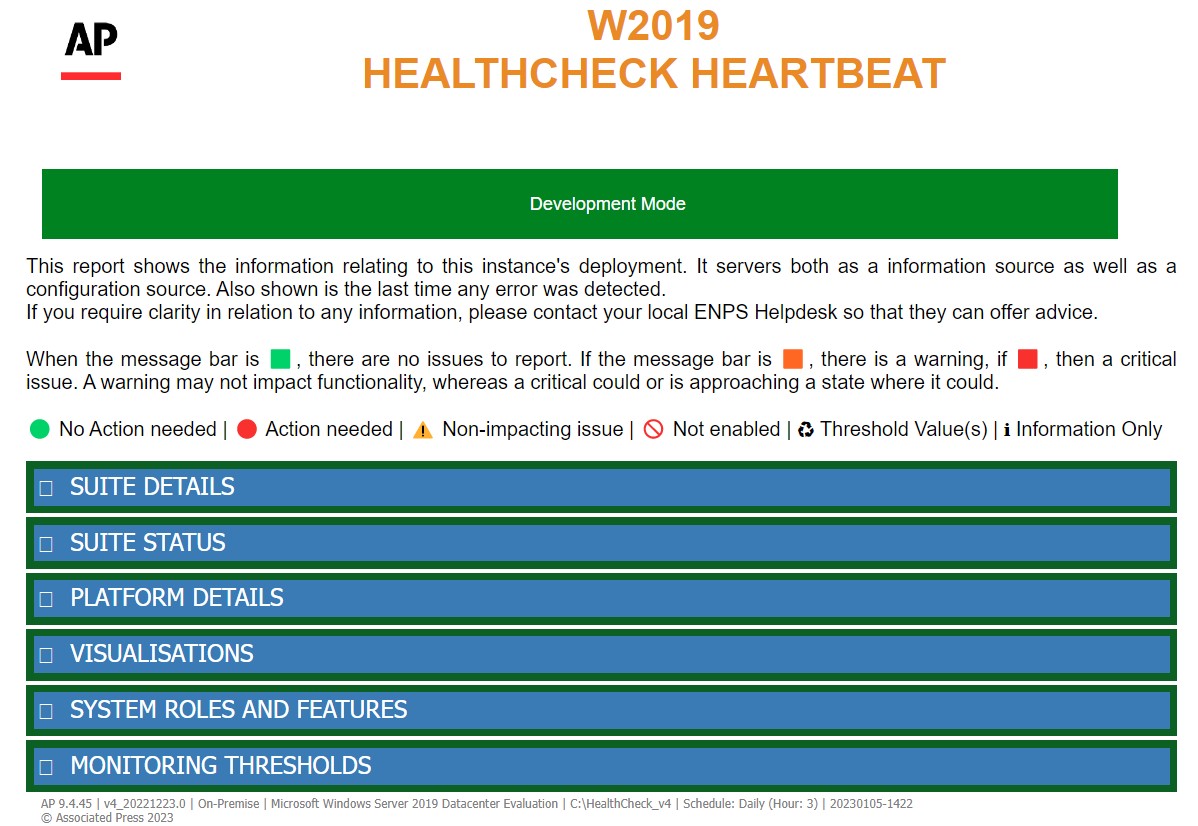
This is the "heart" of the system. This is general sent daily so that the recipients can ensure that a system is running should no other systems be monitoring the server. As this is sent daily, staff will know that the system up and running, also highlighted of the status of the system. In the example below as the status bar is green, it shows the system is operating as expected. Should this be orange or red, then the section where an issue is being observed will also reflect this changed color.
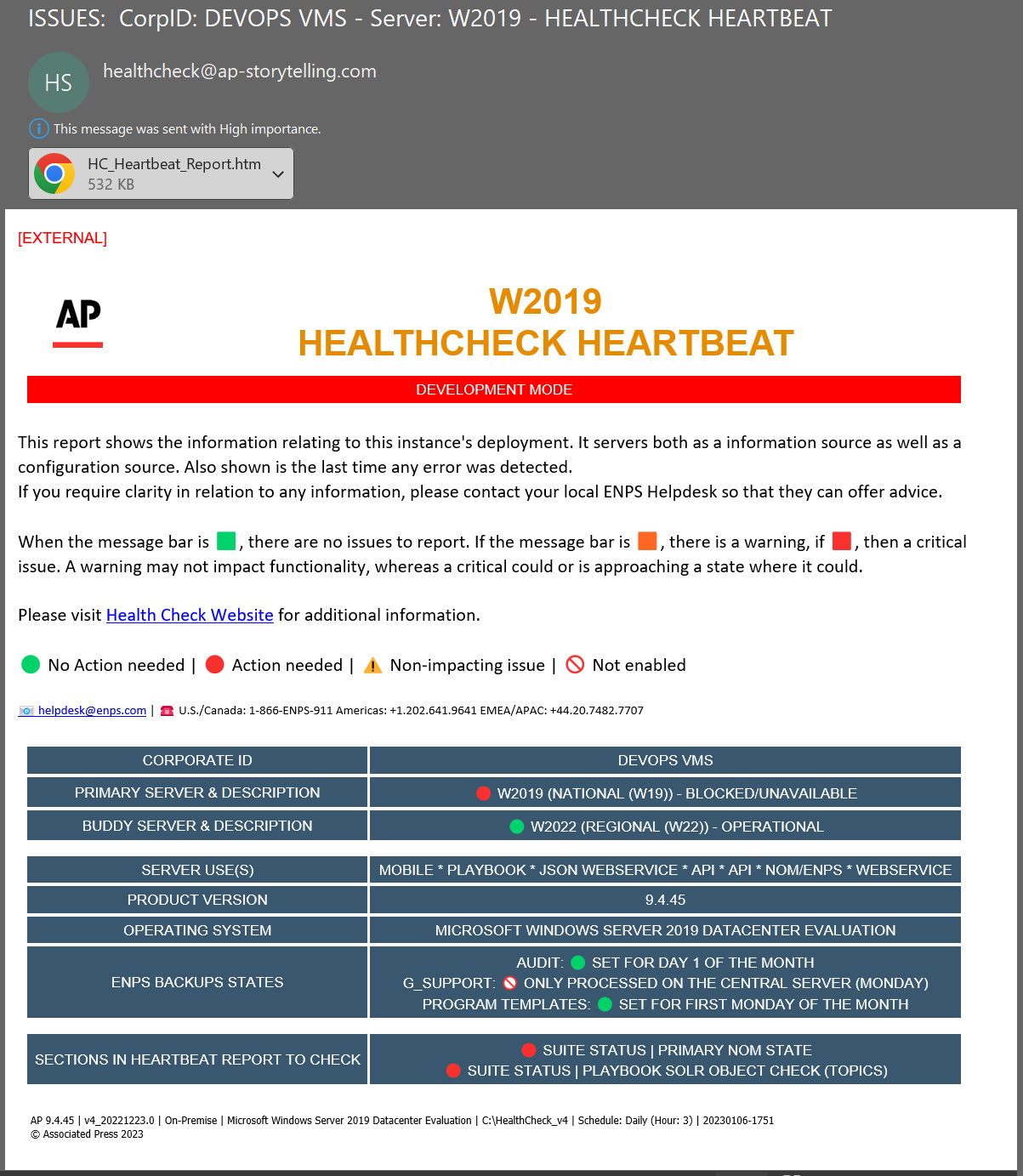
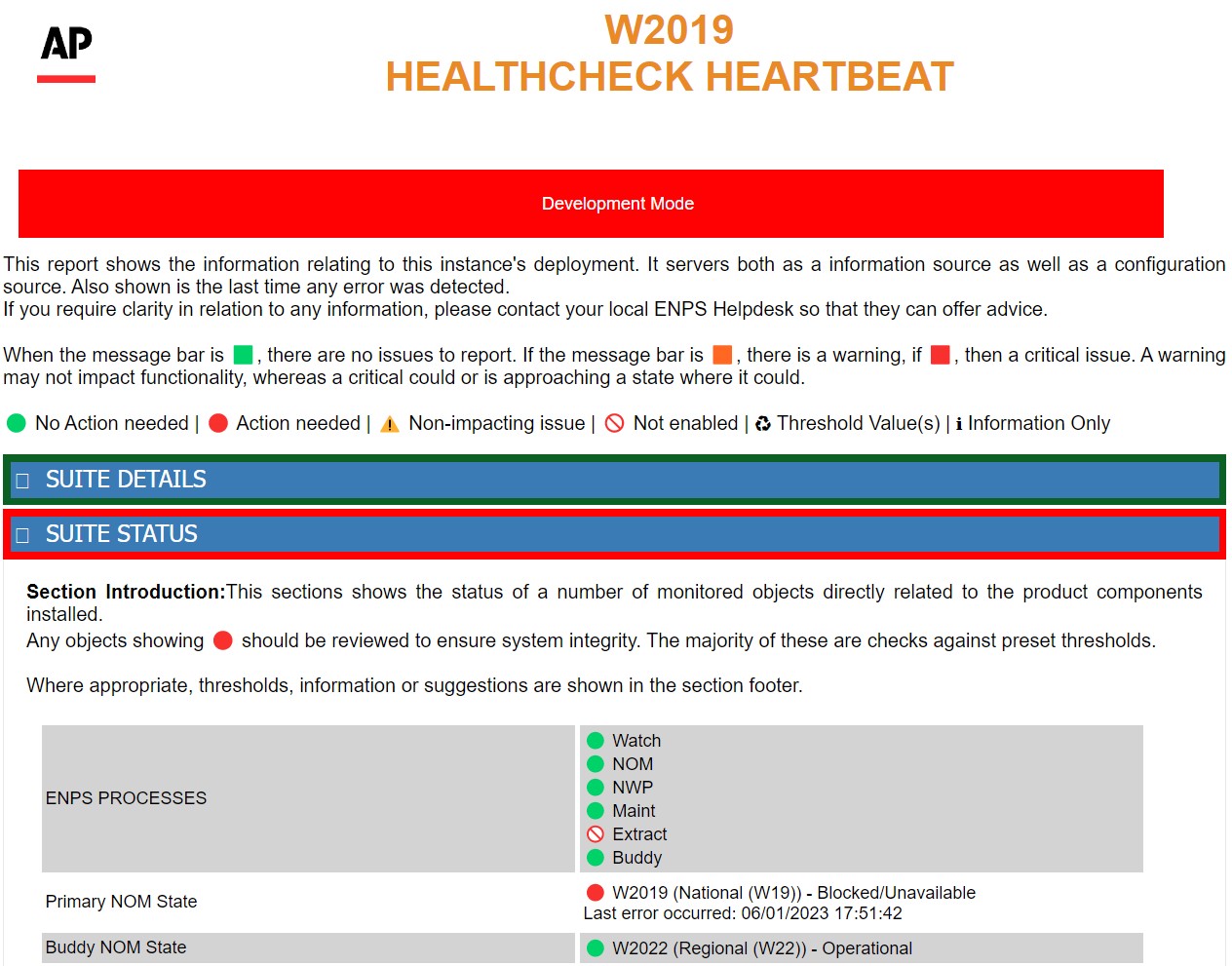
In the example below, an error has been detected during the Heartbeat Summary cycle and it has change the status banner to red. The section where the issue has occurred is the last entry in the information section. The attached report follows this same naming structure so the issue can be tracked, in this case it is in the Suite Status section of the report.
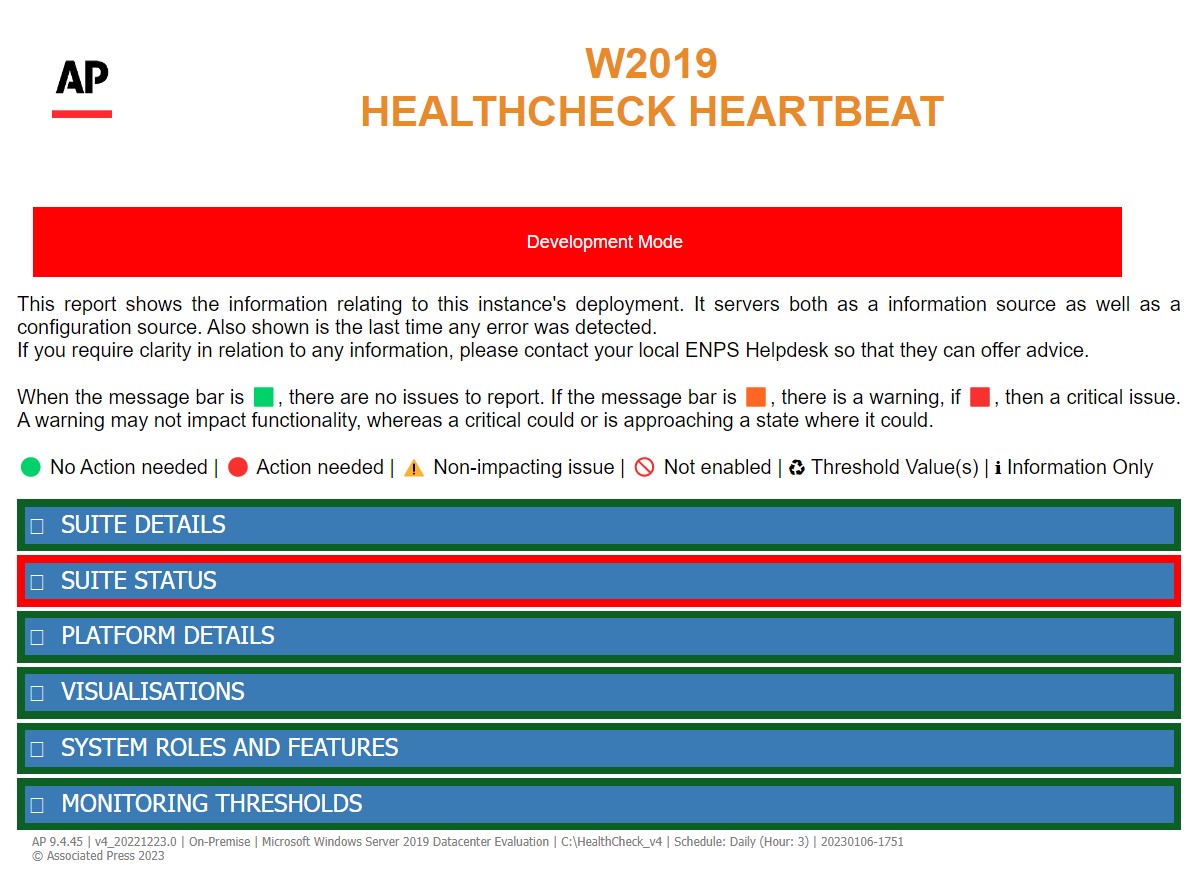
When expanding the section that contains the error, further details can be observed.
NOTE: If you have any questions, please contact AP ENPS Support before making changes to the HealthCheck configurations.
To enable AP ENPS to receive a copy of this summary mail, set it within \hc\hc-static_config.ps1. With the default being:
$global:HC_AP_Mail_Heartbeat_Message = $true # Enable heartbeat Mail messages to AP Support(hc_SendTo_Mail_Heartbeat)
For the customer to receive a copy via their configured mail channed, enable it within \hc\hc-static_config.ps1. With the default being:
$global:HC_Customer_Mail_Heartbeat_Message = $false # Enable heartbeat Mail mail to customer(hc_SendTo_Mail_Heartbeat)
The schedule for both above mail configurations are set in \configurables\hc-custom_config.ps1. With the default being:
$global:HC_AP_Mail_Heartbeat_Send_Schedule = "daily" # How often HeartBeat mail is sent - daily, weekly or monthly. If weekly, sent on day below or if monthly, it is sent on the day below (healthcheck.ps1)
[int]$global:HC_AP_Mail_Heartbeat_Send_Schedule_Hour_Of_Day = "03" # The hour to send the HeartBeat mail whether daily or monthly(healthcheck.ps1)
[int]$global:HC_AP_Mail_Heartbeat_Send_Schedule_Monthly_Day = "01" # If monthly, the day of the month the HeartBeat mail is sent. This is also used for the day the audit logs are sent if enabled above (Default: 01)(hc_SendTo_Mail_Heartbeat)
[string]$global:HC_AP_Mail_Heartbeat_Send_Schedule_Weekly_Day = "Monday" # If weekly, the day of the week the HeartBeat mail is sent, also used as the day when G_SUPPORT and Templates are zipped and stored if enabled. (Default: Monday)(hc_SendTo_Mail_Heartbeat)